Open a .pub file without Publisher
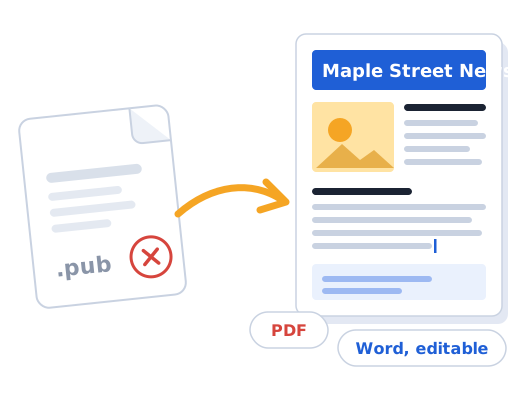
A .pub file can only be opened by Microsoft Publisher, which Microsoft has retired. The easiest way to open it today is to convert it: PDF to view or print, Word to edit.
- See the first page free
- No account, no email
- Files deleted after 24 hours
How it works
Upload your file
Drop the .pub file into the yellow folder. Nothing to install.
Check the preview
In about a minute you see the first page, so you know it worked.
Pay and download
If it looks right, pay $4.99 once and get a PDF and a Word file.
What you get
Works on any device
Windows, Mac, Chromebook, iPhone or Android: all you need is a browser.
Nothing to install
Upload, check the preview, download the PDF and Word files.
Your options
LibreOffice Draw (free) can also open many .pub files on a computer, if you prefer to do it yourself.
$4.99
per file, paid once. No subscription.
- A PDF that looks like your page
- A Word file you can edit
- Free preview before you pay
- Your money back in one click within 24 hours
- Visa
- Mastercard
- PayPal
- Apple Pay
- Google Pay
Questions people ask
Can I open a .pub file on a Mac?
There has never been a Mac version of Publisher. Converting the file to PDF or Word is the simplest way to open it on a Mac.
Is it free?
The preview of the first page is free and needs no account or email. If the preview looks right, you pay $4.99 for this file and download both the PDF and the editable Word document.
What if the result is not good enough?
Press "Refund" on the download page within 24 hours of paying, say in one click what went wrong, and the money goes back to your card. No emails, no arguing.
What happens to my file?
Your file and the converted copies are deleted automatically 24 hours after upload. We never look at them and never use them for anything else.
Which Publisher versions are supported?
Publisher 98 through Publisher 2021 and Microsoft 365 (.pub). Very old files from Publisher 2.0 and earlier usually cannot be read; if a file cannot be converted you are told before paying.
Will it look exactly like in Publisher?
Close, but not always identical. Text, pictures, colours, columns and page layout are kept. If a font used in the file is not available, a similar font is used, so line breaks can shift a little. That is why you see the preview before you pay.