Open an ENEX file without Evernote
Have an .enex file and no Evernote, or no wish to log in again? Open the ENEX file here: every note becomes readable, with its pictures, in a PDF and as web pages you can keep.
- See the first notes free before you pay.
- PDF and HTML files with every picture.
- Refund in one click if it is not usable.
- Deleted after 24 hours. Nobody looks at it.
Evernote notes converted by FileOpens

My Notebook.enexnotes.pdf
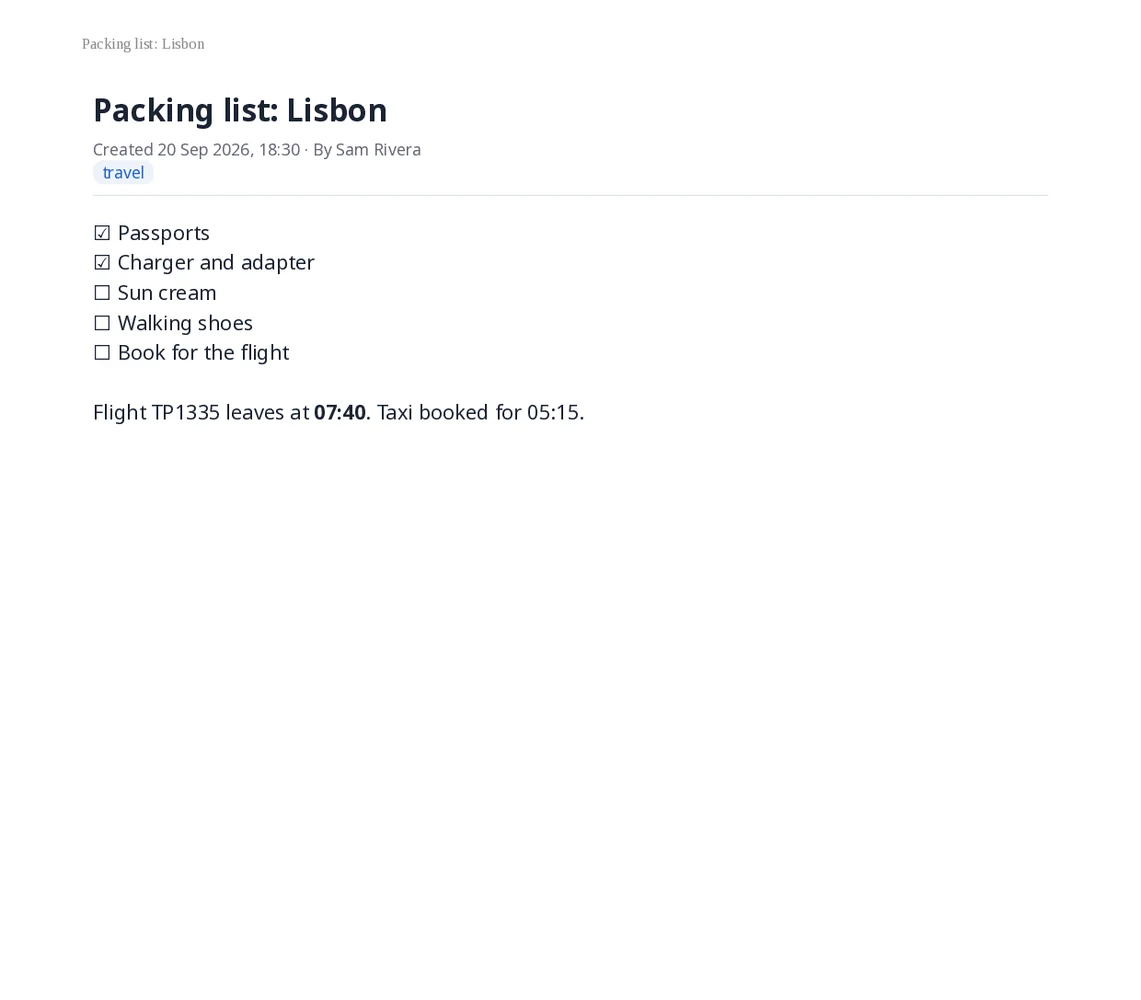
Note with a picture
- Title, date, author and tags
- Picture where it was in the note
- Bold text and lists
My Notebook.enexnotes.pdf
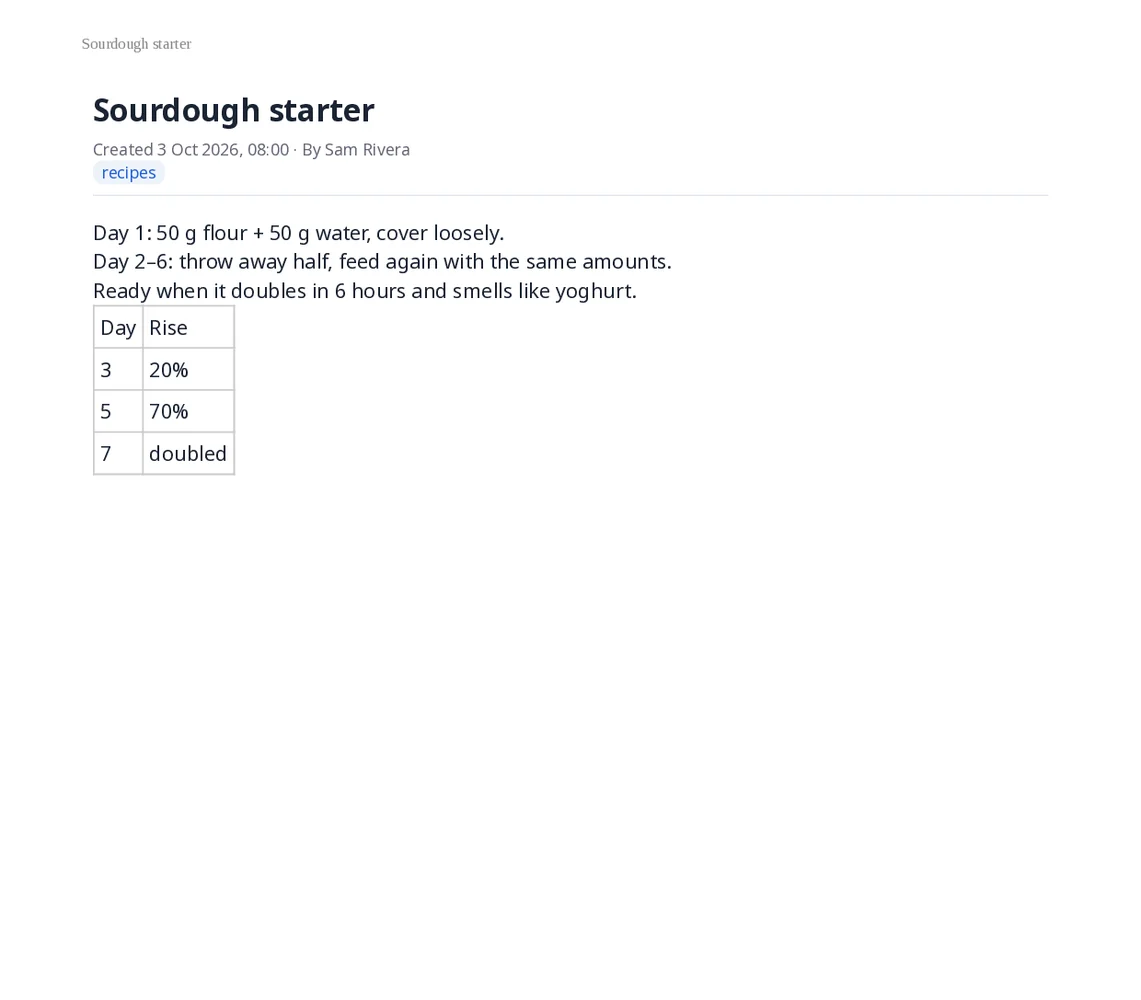
Checklist
- Ticked and open boxes as in Evernote
My Notebook.enexnotes.pdf
Note with a table
- Tables kept
- Each note from a new page
Sample notebook we made ourselves, with made-up names and data, converted here and shown as they came out. Your own files are never shown to anyone.
Notes people save with us
- Recipes
- Journals and diaries
- Research and clippings
- Receipts and scans
- Meeting notes
- Family records
- A whole account before leaving Evernote
How to turn Evernote notes into a PDF
-
STEP 1
Export from Evernote
Right-click a notebook > Export notebook > ENEX.
-
STEP 2
Upload it and look
The cover and the first notes appear free.
-
STEP 3
Pay once, download
One PDF of every note, plus each note as HTML with attachments.
What you get back
- One PDF of every noteEach note on its own pages with title, dates and tags, pictures where they were.
- Every note as a web pageOne HTML file per note with its pictures and attachments next to it.
- All attachmentsPDFs, scans, Office files and audio, with their original names, in one ZIP.
- An indexTitle, created and updated dates, tags and source link of every note, ready for Excel.
- See it firstThe cover and the first notes in the preview before you pay.
Price
See the first notes free. Then $4.99 per export, however many notes it holds: the PDF and the ZIP of notes. One payment, no subscription.
Why an .enex file will not open
An .enex file is an Evernote export, and only importing it into a notes app makes it readable. Double-clicking it opens Evernote if it is installed, which imports the notes back into your account, the opposite of what you want when you are leaving. Without Evernote, Windows and macOS show the file as XML code in a browser or text editor, with pictures as long blocks of letters. Many old .enex files are backups made years ago, and the account they came from is closed or limited to 50 notes on the free plan.
How to open an ENEX file here
Upload the .enex above, on any computer, tablet or phone. The cover page and the first notes appear as a free preview, so you can check that it is the right file and that the pictures came through. After paying once you download one PDF with every note and a ZIP with each note as an HTML page, its attachments, and an index of all notes. Nothing is imported anywhere and no account is created.
Open ENEX files in other apps
If you want to keep editing your notes, some apps import ENEX files directly: Joplin, Obsidian with its Importer plugin, and Apple Notes on a Mac, from File > Import to Notes. Formatting does not always survive the trip, and some apps drop attachments or merge notebooks, so a PDF and an HTML copy are a good safety net either way. Keep the .enex file itself too: it is the most complete copy of your notes, and any of these apps can read it again later.
Checking an old backup
Many people find .enex files on an old drive and are not sure what is inside, or whether the backup is complete. The free preview answers that before you pay: the cover lists the number of notes, pictures and attachments and the period the notes were written in, and the first notes are shown in full. If the file turns out to be damaged or cut short, the page says so and nothing is charged.
What comes through
Titles, created and updated dates, tags, source links of web clippings, text with headings, lists, tables and formatting, checkboxes, pictures in place, and every attachment as a file. Reminders, note history, shared-notebook settings and Evernote's Tasks feature are not part of an .enex export, so they are not in the file to begin with. Encrypted passages need your passphrase in Evernote and are marked. For the full description of the PDF see ENEX to PDF.
Big notebooks and many files
Notebooks with thousands of notes and gigabytes of scans are fine: the file uploads in pieces and the conversion runs in the background with a progress page. The ZIP always has every note. If an export is so large that the PDF would run to tens of thousands of pages, the PDF holds the first 20,000 notes and the result page says so. For e-mails see mailbox to PDF.
Also on FileOpens
Questions about ENEX files
How do I open an .enex file without Evernote?
Upload it here. You get every note in a PDF and as HTML pages, with pictures and attachments, without Evernote or an account.
Will this import my notes into Evernote?
No. Nothing is imported anywhere; you get files to keep: one PDF, and a ZIP with every note as a web page and every attachment as an ordinary file.
Is my .enex file safe here?
It is processed on our own server only to make your files and is deleted automatically after 24 hours. Nobody reads your notes.
How much does it cost?
You see the cover and the first notes free. Then $4.99 per export, however many notes it holds: the PDF and the ZIP. Not usable? Refund within 24 hours.
What happens to my notes?
They are used only to make your PDF and ZIP and are deleted automatically 24 hours after upload. Nobody reads them, and they are never shared.